
How to Avoid Shifting Answers on an HSC Multiple-Choice Sheet
Learn a reliable method for transferring HSC multiple-choice answers without shifting rows. Find out how to handle skipped questions, correct changed answers, and check your answer sheet before the exam ends.
You answer Questions 1-12 correctly, get stuck on Question 13, and skip it. You then solve Question 14 and fill in the next empty row on your multiple-choice answer sheet.
There’s a problem. You’ve just recorded your answer to Question 14 against Question 13. Every answer after it could now be in the wrong place, even though your actual answers are correct.
The safest way to avoid this is to treat every answer as a pair: question number and answer choice. Always match the printed question number on your paper to the same numbered row on your answer sheet. Never rely on counting how many questions you’ve answered.
01The most important rule: match numbers, not sequences
Think of each answer-sheet row as a labelled mailbox. Question 14 has a permanent address: row 14. It doesn’t matter whether you’ve answered every question before it.
Suppose you skip Question 13 and answer Question 14 with C.
Where should C go?
Row 14, not the next empty row.
This sounds obvious when you think about one question. The difficulty comes when you’re working quickly, skipping questions, changing answers, and trying to keep track of several things at once.
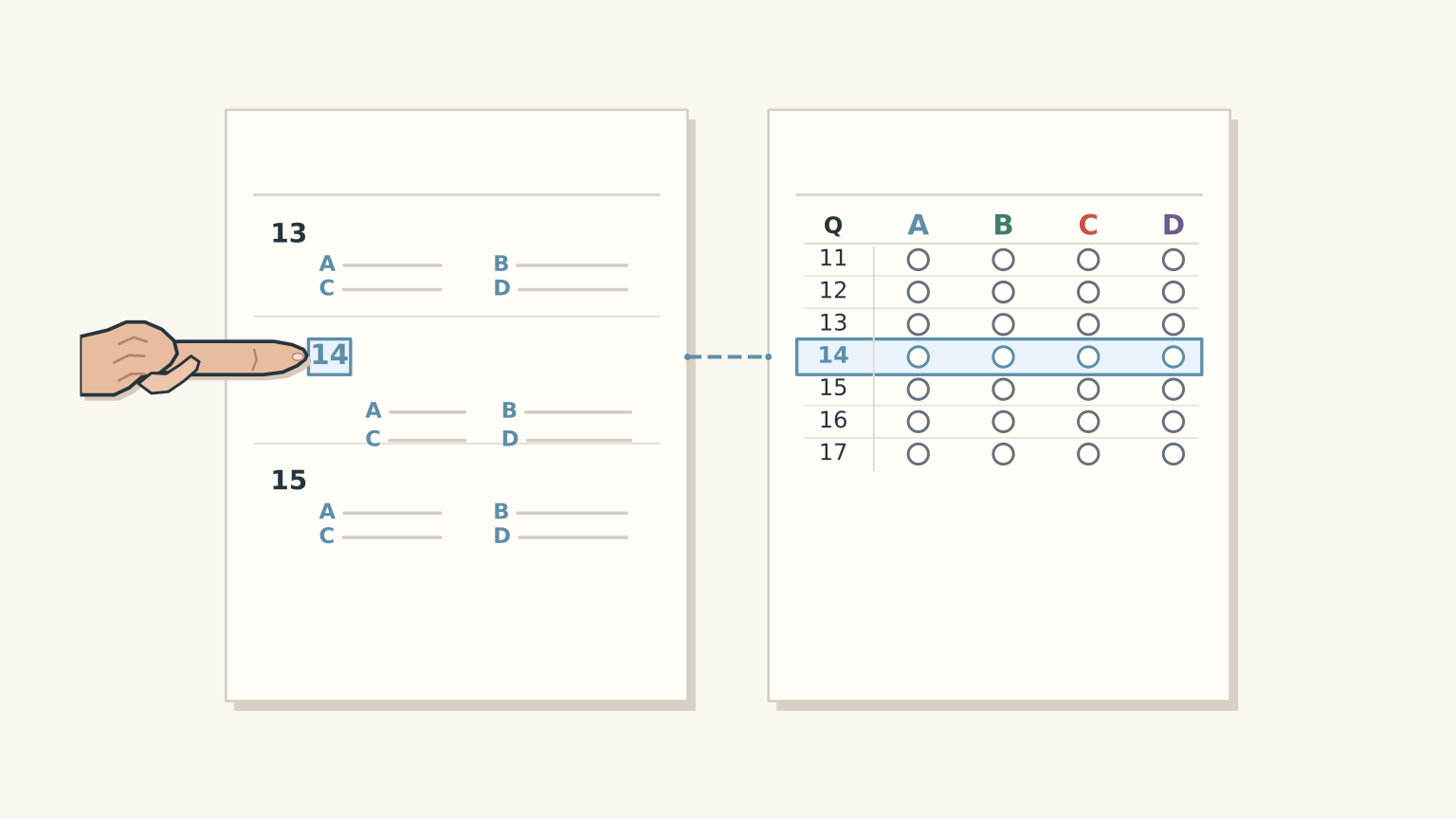
Due to technical limitations, this figure may display incorrectly or contain inaccuracies. Please check key details against your course materials.
02A reliable method for transferring answers
For most students, the safest approach is to transfer each answer immediately after solving its question.
Use the following routine.
Step 1: Solve the question first.
Read the entire question and work out which option is most suitable. Don’t rush into filling a bubble before you’ve considered the answer choices.
Step 2: Record your choice against its question number.
On your question paper, note the selected letter beside the question number.
For example:
- Question 11: B
- Question 12: D
- Question 13: A
This gives you a numbered record to compare against your answer sheet later.
Step 3: Find the matching row.
Look at the printed question number on the answer sheet. Check that it matches the question you’ve just answered.
Step 4: Mark the correct option.
Move across that row and select the corresponding letter. Make sure your mark follows the instructions printed on the actual answer sheet.
Step 5: Move to the next question.
Repeat the process, checking the question number every time.
The routine is:
Question number → matching answer-sheet row → answer letter.
Don’t skip the middle step.
03What to do when you skip a question
Skipping questions is a normal part of managing an exam. The mistake is allowing a skipped question to change where you record your subsequent answers.
Use this simple decision rule:
| Situation | What to do |
|---|---|
| You know the answer | Record it in the matching numbered row. |
| You’re uncertain | Record your current best answer and flag the question for review. |
| You want to skip it temporarily | Leave its corresponding row blank and flag the question on your paper. |
| You return and solve it | Fill the original question’s row, not the next empty row. |
| You change an existing answer | Follow the correction instructions on the answer sheet. |
Worked scenario: skipping Question 13
Imagine you’ve reached Question 15. Your answers so far are:
| Question | Your decision | Correct answer-sheet entry |
|---|---|---|
| 11 | B | Row 11: B |
| 12 | C | Row 12: C |
| 13 | Skip | Row 13: Blank |
| 14 | A | Row 14: A |
| 15 | D | Row 15: D |
You can see that Question 13 remains blank, but Questions 14 and 15 are still recorded in their correct rows.
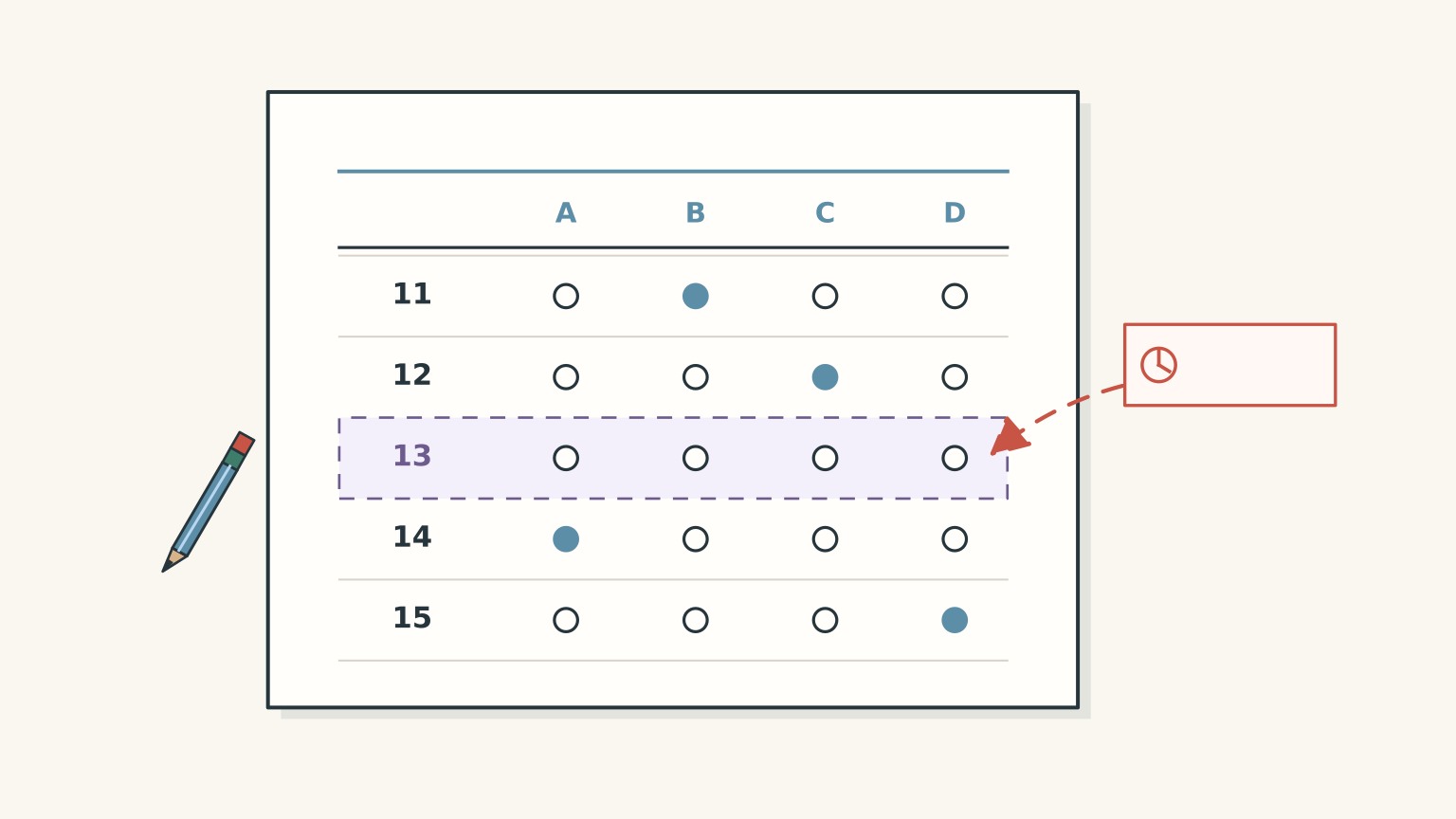
Due to technical limitations, this figure may display incorrectly or contain inaccuracies. Please check key details against your course materials.
Now suppose you return to Question 13 and work out that the answer is B.
You fill in B in row 13.
You do not move your answers for Questions 14 and 15. They were already in the correct places.
The tempting mistake: Filling the next empty row every time you answer another question.
Why it fails: The answer sheet is organised by question number, not by the order in which you attempt questions.
This is particularly important when you skip several questions and return to them later.
04Don’t confuse changing an answer with correcting an alignment error
There are two different mistakes you can make on a multiple-choice sheet.
| Type of mistake | What has gone wrong? | How to fix it |
|---|---|---|
| Reasoning error | You’ve selected the wrong option for that question. | Reconsider the question and its answer choices. |
| Alignment error | You’ve recorded an answer against the wrong question number. | Check the numbered record and correct the affected row. |
These problems need different solutions.
For example, imagine you’ve selected C for Question 22. During your final review, you notice that the question asks which statement is not supported by the information provided.
You reread the options and realise that A is the correct choice.
This is a reasoning correction. You have identified a specific problem with your original interpretation.
Find row 22 and change your answer from C to A, following the answer sheet’s printed correction instructions. Do not alter Question 23 or any other row.
Now imagine you notice that Question 22 is recorded in row 21 instead.
That’s an alignment problem. You need to check the numbered entries and repair the placement, not reconsider the physics, chemistry, or mathematics.
One important warning: don’t change an answer simply because you’ve selected the same letter several times.
Getting B four times in a row doesn’t mean you’ve made a mistake. Multiple-choice answers do not need to follow a balanced A, B, C, D distribution.
Only change an answer when you have a genuine reason to believe another option is more appropriate.
NESA also advises students to read all the answer choices before selecting the most suitable response. Its HSC exam preparation advice explains that the instructions on the answer sheet should be followed when changing an answer.
05Your final answer-sheet reconciliation
Before the exam finishes, reserve time to check that your recorded answers match your intended answers.
Don’t just glance at the sheet and check that it looks full. A completely filled answer sheet can still contain a shifted sequence.
Use this checklist.
1. Start at Question 1 and work downwards
Place your finger beside the first question number on the answer sheet.
Move down one row at a time. For each row, compare:
- The question number.
- The answer you recorded on your question paper.
- The letter selected on the answer sheet.
Check the actual row numbers, not just the sequence of letters.
2. Check every skipped question
Pay particular attention to questions you initially left blank.
For each one, ask:
- Did I eventually answer this question?
- If so, did I fill its original row?
- If I haven’t answered it, is the corresponding row still blank?
A skipped question is the most common point at which an otherwise correct sequence can become misaligned.
3. Check any changed answers
Look at every question where you changed your mind.
Make sure:
- The final answer is recorded in the correct row.
- The previous answer has been corrected using the printed instructions.
- There isn’t an ambiguous or unintended second selection.
Do not use correction fluid. NESA does not permit it in the examination room.
4. Check the final question
Make sure your last attempted question is recorded against its actual question number.
This is worth checking because students sometimes finish transferring answers without noticing that the last few entries have shifted.
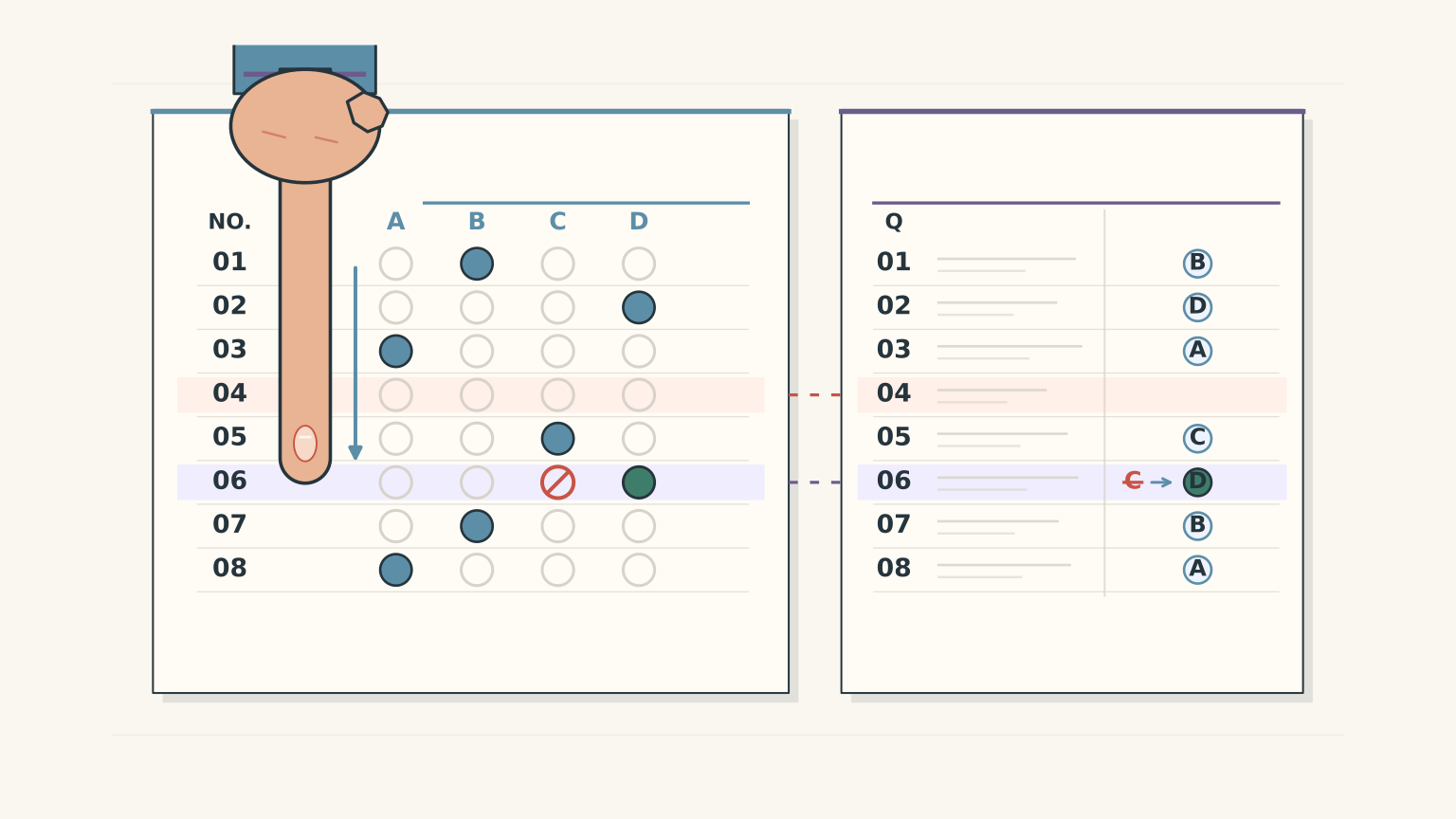
Due to technical limitations, this figure may display incorrectly or contain inaccuracies. Please check key details against your course materials.
06What you need to know about NESA answer-sheet instructions
There are a few practical rules worth checking before your HSC exams.
For the 2027 HSC cohort, NESA’s 2027 Rules and Procedures guide specifies that students must:
- Wait until writing time before writing on exam materials.
- Write their exam centre number and student number on answer sheets unless these details are already printed.
- Complete these details during writing time, not reading time.
- Write clearly in black pen, using pencil only when specifically instructed.
- Follow the instructions provided by exam supervisors.
The NESA exam equipment list also specifies pencils of at least 2B.
Not every HSC exam uses exactly the same response materials. Some exams provide personalised multiple-choice answer sheets, so always follow the instructions on the sheet supplied for your particular examination.
Don’t assume that a practice answer sheet or an old examination paper has identical instructions to your actual exam materials.
07A simple routine to remember
You don’t need an elaborate system to avoid shifting answers. You need a consistent one.
Before the exam, practise this routine using a past HSC paper:
- Solve each multiple-choice question.
- Record your chosen letter beside its question number.
- Transfer it to the matching numbered row.
- Deliberately skip a question and continue with the correct subsequent row.
- Return to the skipped question and fill its original row.
- Compare your question paper with the answer sheet from beginning to end.
Practise changing an answer as well, so you know how to follow the correction instructions without accidentally leaving two responses marked.
The key distinction is simple: solving a question correctly is a reasoning skill; recording that answer in the correct row is a clerical skill. Both deserve attention, but they should never be confused.
Once your answer-transfer routine becomes automatic, you can spend your remaining exam time thinking about the questions themselves rather than worrying about whether Question 27 ended up in row 26.
For the next part of your exam technique, particularly in Mathematics, see How to Earn Method Marks When You Cannot Finish an HSC Maths Question.